wiki
Back to siteStore
OhmLab documentation
Ctrl K
Neuro N6 Platform
  • Hardware
    • Neuro N6
      • Getting Started
      • Board Tour and Pinout
      • Power and Battery
      • Downloads
      • Regulatory Compliance
    • Neuro Vision OV5640
      • Getting Started
      • Downloads
      • Regulatory Compliance
    • Neuro Vision STCam
      • Getting Started
      • Downloads
      • Regulatory Compliance
    • Neuro Vision Thermal
      • Getting Started
      • Downloads
      • Regulatory Compliance
    • Neuro Vision TFT
      • Getting Started
      • Downloads
      • Regulatory Compliance
    • 3D Printed Case
      • Installation
      • Downloads
  • Software
    • Getting Started
    • Neuro Studio
      • Getting Started
      • Panels
      • Bootloader Tool
      • Wire Protocol
      • Publishing Data from a Sketch
      • Building from Source
    • Arduino Core
      • Overview
      • Getting Started
        • Installation
        • First Upload
        • The Tools Menu
        • Anatomy of a Sketch
      • Basics
        • Digital and Analog Pins
        • LEDs and the Button
        • Timing and Interrupts
        • The Serial Console
        • I2C with Wire
        • SPI
      • Camera
        • Streaming the Camera
        • Resolutions and Frame Rates
        • VisionConfig Reference
        • The On-board Display (TFT carrier)
        • Touch Input (TFT carrier)
        • Capture Controls (OV5640)
        • The Global Shutter Camera (VD66GY)
      • Neural Networks
        • First Model
        • Bundled Models
        • Aspect Modes and Coordinates
        • Running Several Models
        • Cascades and Tracking
        • Face Recognition
        • Bring Your Own Model
        • Custom Post-Processors
        • Raw NPU Output
      • Classical Vision
        • Machine Vision Examples
        • Snapshots and Image Primitives
        • QR Codes and Barcodes
        • AprilTags and Pose
        • Colour Blobs and Motion
      • Sensors and Audio
        • On-board Sensors
        • Thermal Camera
        • Microphone
        • Spectrum Analyser
        • Speaker
        • Audio Event Detection
      • Connectivity
        • WiFi
        • Bluetooth LE
        • LTE Modem
        • Over-the-air Updates
      • Advanced
        • FreeRTOS Under the Hood
        • Memory Map
        • Low Power
        • Events and SD Logging
        • Live Tuning and Assets
        • Uploader and Bootloader
        • Writing a Camera Driver
        • The Host Contract
      • Reference
        • Troubleshooting
        • Example Index
        • Licensing
        • Contributing
        • Glossary
    • STM32CubeIDE
      • Overview
OhmLab documentation

Neuro N6 Wiki

Reference documentation for the Neuro N6 development board, its camera modules, and the Arduino core that programs them. Pages are grouped by hardware and software and marked by level.
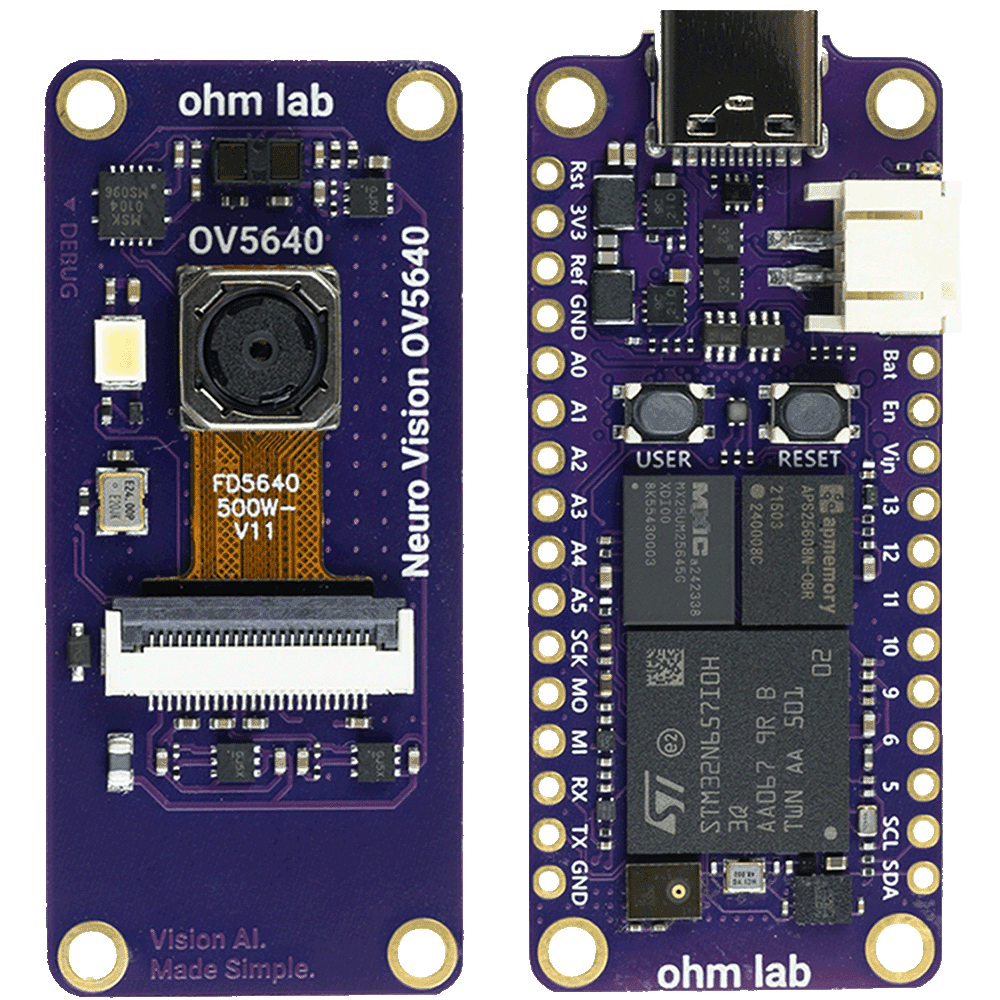
Neuro N6 Starter Kit: a Neuro N6 board and a Neuro Vision OV5640 module
Neuro N6 boardComponents, connectors, LEDs and power inputs.Arduino core installationToolchain, board package and host tools.Neuro StudioThe desktop app that shows video, results and sensors.Neural network modelsCompiling a model into a sketch and running it on the NPU.
Beginner
  • First Upload
  • Digital and Analog Pins
  • The Serial Console
  • Streaming the Camera
  • Machine Vision Examples
Intermediate
  • VisionConfig Reference
  • Running Several Models
  • On-board Sensors
  • WiFi
  • Neuro Studio Panels
Advanced
  • Cascades and Tracking
  • Bring Your Own Model
  • Low Power
  • Events and SD Logging
  • Wire Protocol